> For the complete documentation index, see [llms.txt](https://empire-of-sight.gitbook.io/eos/llms.txt). Markdown versions of documentation pages are available by appending `.md` to page URLs; this page is available as [Markdown](https://empire-of-sight.gitbook.io/eos/skilling/skills/harvesting.md).

# Harvesting

As you travel through the Empire you'll find random mushrooms or other plants growing that you can harvest to level up your skill while obtaining useful ingredients for Alchemy.

Harvesting takes little to no time and is an excellent skill to focus on if you want combat sustainability.

[Harvesting Wiki Link](https://wiki.empireofsight.com/doku.php?id=harvesting:harvesting)

[How to see your levels!](/eos/characters-and-user-info/additional-info/character-stats-and-info.md)

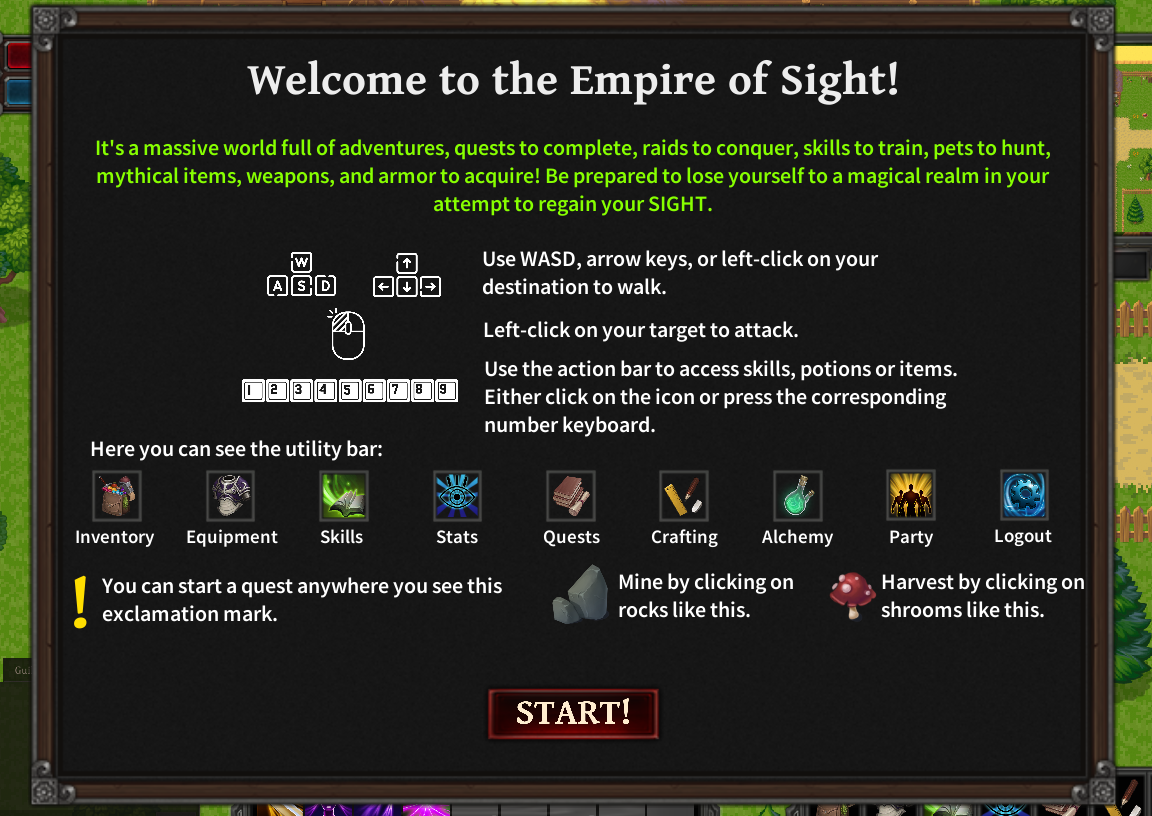
Once you find yourself a nice mushroom growing all you have to do is click the mushroom.

<figure><img src="https://3119922766-files.gitbook.io/~/files/v0/b/gitbook-x-prod.appspot.com/o/spaces%2Fi5Qdo975WFbrbEz7sHdg%2Fuploads%2FwBc9iTIWV07UGdrbOhJ3%2Ffullharvestingphoto1.jpg?alt=media&amp;token=e0fe7fde-2a59-4057-bf7d-3eeee5e5fc19" alt=""><figcaption></figcaption></figure>

After clicking the mushroom you will click start to begin harvesting it, you can click stop or the X to exit the action.

<figure><img src="https://3119922766-files.gitbook.io/~/files/v0/b/gitbook-x-prod.appspot.com/o/spaces%2Fi5Qdo975WFbrbEz7sHdg%2Fuploads%2FKnGXc5L4m3JDq7fNoDDz%2Fharvestingpopup2.jpg?alt=media&amp;token=771ab476-abdb-49b5-8e3f-434b906e5fd9" alt=""><figcaption></figcaption></figure>

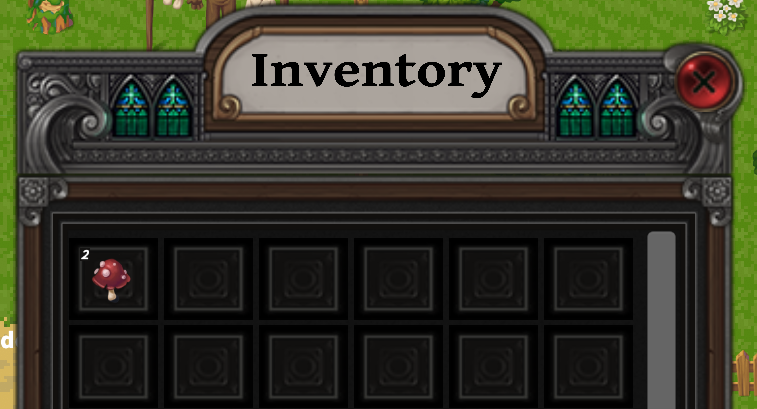
After the harvesting is complete you will see the mushroom appear in your characters inventory.

<figure><img src="https://3119922766-files.gitbook.io/~/files/v0/b/gitbook-x-prod.appspot.com/o/spaces%2Fi5Qdo975WFbrbEz7sHdg%2Fuploads%2FsYuQwTNdyDCCToc4oKPs%2Fmushroominventory1.png?alt=media&amp;token=0aa09a0d-0633-4f2c-acf6-380083c7b41f" alt=""><figcaption></figcaption></figure>

<figure><img src="https://3119922766-files.gitbook.io/~/files/v0/b/gitbook-x-prod.appspot.com/o/spaces%2Fi5Qdo975WFbrbEz7sHdg%2Fuploads%2FlgXzRNQrcNO0j1RLs4xV%2Fguideui.png?alt=media&amp;token=149b63d2-c302-49c7-9dd8-229cf00c670e" alt=""><figcaption></figcaption></figure>

<mark style="color:green;">EXAMPLES</mark>

<div align="left"><figure><img src="https://3119922766-files.gitbook.io/~/files/v0/b/gitbook-x-prod.appspot.com/o/spaces%2Fi5Qdo975WFbrbEz7sHdg%2Fuploads%2F7OmAGpvoTLcGldr7lJYM%2Ffunky_monkey1.png?alt=media&amp;token=0b176893-7b91-4210-a9b7-6f866c83e3b5" alt="" width="99"><figcaption></figcaption></figure> <figure><img src="https://3119922766-files.gitbook.io/~/files/v0/b/gitbook-x-prod.appspot.com/o/spaces%2Fi5Qdo975WFbrbEz7sHdg%2Fuploads%2FZOTgtOrpEnL0QnwegIHX%2Fglowing_toad1.png?alt=media&amp;token=01cbc80d-79e9-48a2-b90c-17394562aa63" alt="" width="99"><figcaption></figcaption></figure> <figure><img src="https://3119922766-files.gitbook.io/~/files/v0/b/gitbook-x-prod.appspot.com/o/spaces%2Fi5Qdo975WFbrbEz7sHdg%2Fuploads%2FhwwEsLBrBV3NFwpBQhPO%2Fmystic_glory1.png?alt=media&amp;token=67cad51b-c2ae-401b-82ac-bea3f1449edc" alt="" width="99"><figcaption></figcaption></figure></div>

Link to Wiki